Category: AI

  • Unleashing Growth: The Top 7 AI Tools for SMEs in 2025

    Unleashing Growth: The Top 7 AI Tools for SMEs in 2025

    In today’s rapidly evolving digital landscape, artificial intelligence (AI) is no longer a futuristic concept reserved for large corporations. It’s a tangible, accessible, and transformative force that small and medium-sized enterprises (SMEs) can harness to achieve unprecedented growth and efficiency. For any forward-thinking business owner, understanding and adopting the right AI solutions is paramount. This blog post will delve into the Top 7 AI tools for SMEs that are set to redefine how businesses operate in 2025, offering practical insights and actionable strategies to help your company thrive.

    Why AI Matters for SMEs: A Catalyst for Growth and Efficiency

    The question is no longer if SMEs should adopt AI, but how quickly. With limited resources and intense competition, every decision and every hour counts. AI tools for SMEs emerge as vital partners, not just as futuristic add-ons, but as real-world solutions to everyday challenges, as highlighted by various industry experts. The Business Legacy emphasizes that in 2025, automation, personalization, and data-driven decision-making are core pillars of a successful business [The Business Legacy].

    Imagine tasks that once consumed hours—like responding to customer queries, crafting marketing copy, or prioritizing sales leads—now being handled in minutes, with AI doing the heavy lifting. This shift allows your team to focus on strategic initiatives and high-impact work, rather than getting bogged down in administrative duties [Seven Square Tech].

    The benefits of AI for small business owners are multifaceted and compelling:

    • Enhanced Efficiency & Productivity: AI automates repetitive tasks such as data entry, email sorting, and customer support, freeing up valuable time for strategic work [Seven Square Tech, Binmile]. LeadTruffle reports that small business owners save an average of 13 hours per week with AI tools [LeadTruffle].
    • Improved Decision Making: AI software can analyze vast amounts of data, identify trends, and predict customer behavior far faster and more accurately than manual methods, leading to smarter, data-backed decisions [Seven Square Tech, AMZScout].
    • Cost Efficiency: By automating tasks and optimizing operations, AI tools can significantly reduce operational expenses and even fill the role of a vacancy in the company at a lower cost, with a median annual savings of $7,500 per business implementing AI [AMZScout, LeadTruffle].
    • Leveling the Playing Field: Small businesses can offer enterprise-level services, such as 24/7 customer support or professional content creation, without needing a massive team or budget, effectively competing with larger players [Seven Square Tech].
    • Scalability: AI tools grow with your business. You can start with automating a single workflow and gradually expand as your needs evolve, making your business more streamlined and data-smart over time [Seven Square Tech].

    While AI adoption among small businesses saw a decline from 42% in 2024 to 28% in 2025, according to a NEXT survey, those who use it are finding significant value, primarily for content creation, marketing, and customer service [Next Insurance]. This creates a massive competitive advantage for those who move beyond experimentation to systematic AI implementation [LeadTruffle].

    The Top 7 AI Tools for SMEs You Can’t Ignore in 2025

    Here’s a curated list of the Top 7 AI tools for SMEs that offer significant value, ease of use, and a clear return on investment, helping you streamline operations and accelerate growth.

    1. ChatGPT by OpenAI: Your AI Conversational Powerhouse

    ChatGPT has rapidly become an indispensable AI assistant for countless business owners due to its remarkable versatility and intuitive interface [AMZScout]. It excels in generating human-like text, making it perfect for a wide range of tasks from brainstorming ideas to drafting professional emails. Whether your website visitors need help at midnight or your team is stuck writing copy, ChatGPT steps in with smart, context-aware conversational power [Seven Square Tech].

    Why it’s ideal for SMEs: It significantly improves customer experience by offering 24/7 support, extending your team without additional hires. It’s also a powerful tool for content creation, ideation, and even pre-screening in service industries. The Business Legacy also notes its utility for automating FAQs and creating content calendars [The Business Legacy].

    2. Jasper AI: Master Your Marketing Content

    For SMEs where content is a constant bottleneck—be it landing pages, social posts, or email campaigns—Jasper AI is a game-changer. It leverages advanced AI models to generate high-quality marketing copy with the right tone, clarity, and speed [Seven Square Tech, Motion]. Jasper allows for brand voice customization, ensuring all content remains consistent and on-brand [LeadTruffle].

    Why it’s ideal for SMEs: It enables the creation of high-quality, consistent marketing content without the usual wait or writer’s block. This can cut content creation time significantly, helping small businesses maintain a strong online presence efficiently. The Business Legacy highlights its use for long-form blog content and SEO optimization [The Business Legacy].

    3. Canva AI (Magic Studio): Design Like a Pro Without the Skills

    In a visual-first world, stunning graphics are crucial, yet not every SME has a dedicated designer. Canva AI, particularly its Magic Design and Magic Write features, steps in to empower businesses to create professional visuals and content effortlessly [Seven Square Tech]. It transforms text descriptions into high-quality images and provides instant content suggestions, making it ideal for branding, product images, and marketing graphics [AMZScout].

    Why it’s ideal for SMEs: Canva AI helps small businesses produce visually engaging, branded content that keeps users on their site longer and improves shareability, all without the need for graphic design expertise. LeadTruffle notes its ability to generate designs from text prompts and provide background removal [LeadTruffle].

    4. Zapier: Connecting Your Digital Ecosystem

    Most SMEs operate using a patchwork of applications for CRM, email, analytics, and more. Zapier acts as the crucial connector, automating workflows across these disparate apps without requiring any coding knowledge [Seven Square Tech]. It enables tasks like "When I get an email, add contact info to the CRM and notify Slack" to happen seamlessly [Seven Square Tech].

    Why it’s ideal for SMEs: Zapier dramatically reduces manual work, freeing up valuable time and ensuring that operations become more scalable. It’s a critical tool for growth, allowing teams to reclaim hours weekly and streamline their processes. The Business Legacy highlights its smart triggers and integration with over 6,000 apps [The Business Legacy].

    5. HubSpot AI: Smart Sales and Marketing Automation

    HubSpot has integrated powerful AI tools into its CRM, offering features like lead scoring, email subject suggestions, and deal forecasting. This comprehensive platform helps B2B businesses and growing companies manage client relationships and automate various aspects of their sales and marketing efforts [Seven Square Tech, LeadTruffle].

    Why it’s ideal for SMEs: It provides sales teams with smarter pipelines and offers founders better visibility without the need to reinvent their wheel. HubSpot AI facilitates data-driven strategies, improving sales efficiency and lead conversion rates. It offers a robust free tier, making it accessible for startups [LeadTruffle].

    6. Copy.ai: Diverse Content Creation at Scale

    While similar to Jasper in content generation, Copy.ai offers a versatile platform for generating a wide array of marketing copy, including email campaigns, social media posts, and website content [AMZScout]. It excels at quickly generating relevant and engaging text based on a few keywords or topics, often providing pre-written templates for various use cases [The Business Legacy].

    Why it’s ideal for SMEs: This tool is particularly useful for small businesses that need a fast and efficient way to create promotional content without the expense of outsourcing to an agency. It makes copywriting for marketing a seamless process, allowing business owners to focus on core operations [AMZScout]. Binmile also lists it as a top free AI automation tool for SMBs [Binmile].

    7. Otter.ai: Revolutionizing Meeting Productivity

    For SMEs, meetings can be time-consuming, and keeping track of discussions and action items can be challenging. Otter.ai is an AI meeting assistant that records, transcribes, and summarizes your meetings, whether in-person or on platforms like Zoom, Google Meet, or Microsoft Teams [Motion]. It can automatically capture notes, generate summaries with action items, and even create follow-up emails, allowing you to fully engage in the conversation.

    Why it’s ideal for SMEs: Otter.ai significantly boosts team productivity by eliminating the need for manual note-taking and ensuring that all key discussions and decisions are accurately captured. This improves team collaboration and ensures accountability, making it a game-changer for businesses looking to optimize their internal communications and project management. Motion highlights its calendar integration and ability to generate various assets from meeting notes [Motion].

    Choosing the Right AI Tools for SMEs: A Strategic Approach

    Selecting the optimal AI tools for your small or medium-sized enterprise requires a thoughtful approach. It’s essential to align your chosen tools with your specific business needs and budget, rather than simply adopting every new technology. As LeadTruffle advises, the question isn’t whether to use AI, but which tools will give you the biggest impact for your budget [LeadTruffle].

    Consider the following steps to make an informed decision:

    1. Identify Your Pain Points: Start by pinpointing the most time-consuming or inefficient areas of your business. Are you struggling with customer support, content creation, sales lead management, or administrative tasks? Different AI tools excel in specific areas [AMZScout].
    2. Evaluate Ease of Use and Integration: Most SMEs don’t have a dedicated IT department. Look for tools with intuitive interfaces, low-code or no-code setup options, and seamless integration with your existing software stack [LeadTruffle, The Business Legacy].
    3. Assess Affordability and Scalability: Many AI tools offer free trials, freemium models, or scalable pricing tiers, making them accessible even for early-stage startups [LeadTruffle, The Business Legacy]. Choose tools that can grow with your business without breaking the bank.
    4. Verify and Review Outputs: While powerful, AI tools aren’t perfect. Always double-check the information or content they generate for accuracy and alignment with your brand’s standards [AMZScout].

    Common barriers to AI adoption for small businesses include the initial cost of implementation and a lack of understanding about AI’s benefits [Next Insurance]. However, by focusing on tools that directly address your immediate needs and offer clear ROI, you can overcome these hurdles. Salesforce also highlights the challenge of adopting AI without losing the human touch, emphasizing the importance of using trusted AI to support your team, not replace it [Salesforce].

    Maximising Your AI Investment: Tips for Effective Implementation

    Simply adopting the Top 7 AI tools for SMEs isn’t enough; strategic implementation is key to unlocking their full potential. Here are some tips to ensure your AI investment delivers maximum returns:

    • Start Small, Scale Gradually: Instead of trying to implement multiple tools at once, begin with one or two high-impact AI tools that address your most pressing needs. Master these before expanding your AI toolkit [The Business Legacy, LeadTruffle]. This approach prevents “AI fatigue” and allows your team to adapt effectively.
    • Prioritise User Adoption: Choose tools that are intuitive and user-friendly. Provide comprehensive training and ongoing support to your team members. When employees see how AI tools save them time on repetitive tasks, adoption rates naturally increase [LeadTruffle].
    • Customise and Refine Prompts: For generative AI tools like ChatGPT or Jasper, the quality of the output directly correlates with the quality of the input. Invest time in crafting clear, specific, and detailed prompts to get the best results [The Business Legacy]. Create a library of high-performing prompts for different tasks.
    • Integrate Your Tools: Leverage automation platforms like Zapier to connect different AI tools and existing business applications. This creates a seamless workflow, eliminates manual data entry, and ensures data consistency across your ecosystem [LeadTruffle].
    • Measure Performance Regularly: Set clear Key Performance Indicators (KPIs) for each AI tool you implement. Track metrics such as time saved, revenue increase, customer satisfaction, and error reduction. Regularly evaluating ROI ensures that your AI tools are delivering tangible benefits and helps you optimize their usage [LeadTruffle, The Business Legacy].
    • Enhance, Don’t Replace: The true power of AI lies in its ability to augment human capabilities, not replace them. Use AI to automate repetitive, low-value tasks, allowing your team to focus on creativity, strategy, and building meaningful customer relationships. Human oversight remains crucial for maintaining brand voice, ensuring accuracy, and addressing nuanced situations [The Business Legacy, Next Insurance].

    Conclusion

    The integration of AI into small and medium-sized businesses is no longer a luxury but a strategic imperative. The Top 7 AI tools for SMEs discussed in this blog—ChatGPT, Jasper AI, Canva AI, Zapier, HubSpot AI, Copy.ai, and Otter.ai—represent a powerful suite of solutions capable of transforming operations, enhancing customer experiences, and driving significant growth. By leveraging these tools effectively, Digifix (digifix.com.au) believes that small businesses can not only keep pace with the digital economy but also surge ahead, establishing a robust competitive advantage.

    Embracing AI allows your team to reclaim valuable time, make smarter, data-driven decisions, and offer a level of service that was once only achievable by larger enterprises. The future of business is intelligent, and with the right AI toolkit and a strategic implementation plan, your SME is well-positioned for sustained success.

    Ready to explore how AI can revolutionize your business operations? Visit Digifix Services today to discover tailored AI integration and digital transformation solutions that will propel your SME forward.


  • How Businesses Can Benefit from Nano Banana: Revolutionizing Visual Content with AI

    How Businesses Can Benefit from Nano Banana: Revolutionizing Visual Content with AI

    In today’s visually-driven digital landscape, high-quality, engaging imagery is no longer a luxury but a necessity for businesses. From marketing campaigns to product showcases, the demand for compelling visuals is constant and ever-growing. This is where artificial intelligence steps in, and specifically, the groundbreaking Google Nano Banana Image Model. This innovative AI tool is rapidly redefining what’s possible in automated visual content creation, offering unparalleled capabilities for businesses of all sizes. But exactly how businesses can benefit from Nano Banana? In this comprehensive guide, we’ll delve into the technical prowess, performance advantages, practical applications, and strategic implications of integrating Nano Banana into your business operations, ensuring you stay ahead in the competitive digital arena.

    What is Nano Banana? A Game-Changer for Businesses

    The Nano Banana Image Model represents Google’s ambitious leap into next-generation AI image generation. Unlike traditional models that heavily rely on extensive cloud computing, Nano Banana is engineered for efficient on-device processing while maintaining exceptional output quality. Its revolutionary Multimodal Diffusion Transformer (MMDiT) architecture fundamentally reimagines how AI processes and generates visual content.

    Key technical innovations that directly influence how businesses can benefit from Nano Banana include:

    • Enhanced Text Understanding and Spelling: By employing separate weight sets for image and language representations, Nano Banana significantly improves text understanding and spelling in generated visuals. This is crucial for branding, product labels, and any content requiring accurate text overlay.
    • Reduced Computational Overhead: The model achieves a 40% improvement in prompt adherence accuracy while reducing computational overhead by 35% compared to similar-scale models, meaning faster processing and potentially lower operational costs.
    • Visual Autoregressive Modeling: Instead of starting from random noise, Nano Banana generates a structured initial draft and iteratively refines it. This approach reduces generation time by approximately 60% and improves coherence in complex scenes, leading to quicker content turnaround for businesses.
    • High-Resolution Output: It processes images at native 1024×1024 resolution with support for aspect ratios up to 1024×1792, maintaining consistent quality across various output dimensions – perfect for diverse marketing materials.
    • Multimodal Learning: Training from text, image, and metadata sources results in superior understanding of contextual relationships, leading to a 28% improvement in semantic accuracy for complex prompts.

    For a deep dive into its technical specifications, model architecture, and foundational principles, refer to the Nano Banana Image Model: Complete Technical Guide & Performance Analysis (2025). Understanding these underpinnings helps businesses grasp the sheer power and potential of this tool.

    Unparalleled Performance: How Nano Banana Elevates Business Visuals

    When considering how businesses can benefit from Nano Banana, its performance metrics are a standout feature. Extensive testing reveals Nano Banana’s exceptional capabilities, particularly in areas critical for business applications:

    • Superior Photorealism: Nano Banana scored an impressive 12.4 on the FID (Fréchet Inception Distance) metric, outperforming DALL-E 3 (18.7), Midjourney v7 (15.3), and Stable Diffusion 3 (16.9). Lower FID scores signify better image quality and realism, making it ideal for product photography, marketing visuals, and architectural renders.
    • Accurate Text Rendering: In the challenging area of text rendering, Nano Banana achieved 94% character accuracy, significantly higher than DALL-E 3 (78%) and Midjourney (71%). This is a game-changer for businesses needing to incorporate logos, slogans, or product information directly into their generated images without manual editing.
    • Precise Prompt Adherence: With a GenEval score of 0.89 (where 1.0 is perfect), Nano Banana accurately reflects the semantic content and specific requirements of input prompts. This means less iteration and more precise results, saving businesses valuable time and resources in content creation.
    • Efficient Processing Speed: It generates 1024×1024 images in just 2.3 seconds on standard cloud infrastructure, a notable improvement over DALL-E 3 (4.1 seconds) and Stable Diffusion 3 (3.7 seconds). This speed translates to faster campaign launches and rapid content scaling.
    • Memory and Energy Efficiency: Requiring only 2.1GB of GPU memory for inference and consuming 15% less power per generation, Nano Banana is built for efficiency. These aspects are particularly important for Digifix and other businesses looking for sustainable and scalable AI solutions.
    • Versatile Style Transfer: The model achieves 92% style consistency when applying artistic filters or modifications, enabling businesses to maintain consistent brand aesthetics across a vast array of generated images.

    These performance advantages directly translate into measurable business value, allowing for the creation of high-quality, precise, and visually striking content at an unprecedented speed and scale.

    Streamlined Workflows: The Power of Nano Banana API for Businesses

    The true power of how businesses can benefit from Nano Banana lies in its developer-friendly API. Currently in a limited preview, the Nano Banana API offers robust control over image generation parameters through a RESTful interface that aligns with OpenAI-compatible standards, ensuring smooth integration for developers.

    Key API features for businesses include:

    • Conversational Image Editing: Unlike traditional APIs, Nano Banana supports iterative image refinement. Developers can make multiple API calls to refine an image while maintaining context, drastically reducing the time and effort spent on revisions.
    • Mask-Free Inpainting: Specify regions for editing using natural language descriptions rather than precise pixel masks. The API intelligently identifies and modifies relevant areas, simplifying complex editing tasks.
    • Layout-Aware Outpainting: Extend images beyond their original boundaries while preserving perspective and lighting consistency, opening up new possibilities for creative content expansion.
    • Comprehensive Error Handling and Retry Mechanisms: Detailed error codes, rate limiting (HTTP 429), and intelligent retry mechanisms with exponential backoff ensure robust and reliable integration.
    • Webhooks for Asynchronous Processing: Support for webhooks allows for efficient asynchronous processing of high-resolution or batch generation requests, perfect for large-scale content pipelines.
    • Flexible Rate Limiting: A credit-based system, with different consumption rates for varying image quality and complexity, allows businesses to manage costs effectively based on their specific usage patterns.

    These capabilities empower businesses to automate their creative processes, integrate AI-powered image generation directly into existing platforms (like e-commerce sites or marketing automation tools), and rapidly scale their visual content production without compromising on quality or consistency. This is a clear demonstration of how businesses can benefit from Nano Banana through operational efficiency.

    Cost-Effectiveness and ROI: Maximizing Business Value with Nano Banana

    Understanding the economic implications is crucial for businesses evaluating how businesses can benefit from Nano Banana. The model’s pricing structure is designed to be competitive and offers significant value, particularly for high-volume applications.

    • Competitive Pricing: Standard quality generations are priced at approximately $0.035 per image, positioning it competitively against DALL-E 3 ($0.04) and Midjourney. High-quality generations at $0.12 per image offer superior output compared to alternatives. Low-quality rapid generation for ideation costs a mere $0.008 per image.
    • Volume Discounts: Businesses generating over 1,000 images monthly can receive a 15% discount, while enterprise accounts exceeding 10,000 images monthly can achieve up to 30% cost reduction through custom agreements.
    • Cost-Efficient Conversational Editing: With editing operations consuming only 0.5 credits per modification, iterative design processes become significantly more affordable, avoiding the need for full regeneration.
    • Reduced Iteration Cycles: Nano Banana’s superior prompt adherence can reduce total generation volumes by 20-30% for achieving desired outcomes, leading to direct cost savings in both API usage and staff time.

    Beyond direct API costs, the total cost of ownership (TCO) reveals further advantages. Reduced development time due to OpenAI-compatible APIs, enhanced creative output quality, and faster time-to-market contribute to a strong return on investment. Organizations typically report average cost reductions of 60-80% compared to traditional design workflows, often achieving positive ROI within 3-6 months of deployment. This financial upside makes a compelling case for how businesses can benefit from Nano Banana in the long run.

    Real-World Impact: How Businesses Are Thriving with Nano Banana

    The practical applications of Nano Banana are vast and demonstrate compelling evidence of how businesses can benefit from Nano Banana across various industries:

    • E-commerce: Online retailers are leveraging Nano Banana for product visualization, reporting 34% increases in conversion rates and annual photography cost reductions of millions of dollars. The model’s text rendering accuracy ensures perfect labels and product details.
    • Content Marketing Agencies: Firms are reducing image production time from hours to minutes, increasing client satisfaction by 23%, and achieving a 340% ROI on API investment through enhanced capacity and reduced freelancer costs.
    • Architectural Visualization: Leading firms generate hundreds of unique interior design variations, leading to 60% faster client approval cycles and significant reductions in design revision costs.
    • Game Development: Indie studios have drastically cut art production costs for NPC character portraits from $150,000 to just $8,500, all while maintaining artistic consistency.
    • Educational Content: Ed-tech companies are generating thousands of textbook illustrations, achieving high educator approval ratings for scientific accuracy and clarity, and reducing illustration costs by 78%.
    • Publishing and Media: Digital magazines are creating custom illustrations for articles, experiencing 45% increases in reader engagement, and expanding into new international markets without proportional content production cost increases due to culturally appropriate imagery generation.
    • Healthcare and Medical Education: Training platforms generate precise anatomical illustrations and patient scenario visualizations, with medical professionals rating 89% of content as educationally appropriate, reducing development costs by 65%.

    These diverse case studies highlight that Nano Banana is not just a theoretical advancement but a practical tool delivering tangible and significant business outcomes.

    Digifix’s Perspective: Empowering Australian Businesses with Nano Banana

    At Digifix (digifix.com.au), we understand the transformative potential of cutting-edge AI technologies for Australian businesses. The advent of the Nano Banana Image Model presents an exciting opportunity to elevate digital strategies, enhance marketing efforts, and streamline creative workflows for our clients.

    We believe how businesses can benefit from Nano Banana aligns perfectly with our mission to provide innovative digital solutions. Imagine:

    • Rapid Prototyping for Marketing Campaigns: Generate numerous visual concepts quickly for A/B testing, ensuring your campaigns are optimized for impact.
    • Dynamic E-commerce Product Displays: Create endless variations of product images, showcasing items in different settings, lighting, or with various accessories, all tailored to individual customer preferences.
    • Personalized Content at Scale: Produce highly customized visuals for email marketing, social media, and website content that resonates deeply with specific audience segments.
    • Reduced Creative Overhead: Significantly cut down on costs and time associated with traditional photography, graphic design, and content revision cycles.
    • Consistent Brand Messaging: Leverage Nano Banana’s style transfer capabilities to ensure every visual piece adheres strictly to your brand guidelines, regardless of the volume.

    Digifix is poised to help Australian businesses integrate Nano Banana and other advanced AI solutions seamlessly into their existing infrastructure. Our expertise ensures that you can harness the power of this technology to achieve your strategic objectives, from boosting engagement to driving sales.

    Conclusion: The Future of Visual Content Creation with Nano Banana

    The Google Nano Banana Image Model stands as a monumental leap in AI-powered visual content creation. Its superior technical architecture, unparalleled performance in photorealism and text rendering, streamlined API integration, and proven cost-effectiveness demonstrate precisely how businesses can benefit from Nano Banana.

    For any business striving for a competitive edge in digital marketing, e-commerce, content production, or any field reliant on compelling visuals, Nano Banana offers a pathway to unprecedented efficiency, quality, and innovation. It’s more than just an image generator; it’s a strategic asset that can redefine your creative workflows and significantly impact your bottom line.

    Ready to unlock the full potential of AI for your business? Explore Digifix’s AI Integration Services today!

  • Genie 3 for Startups: How Google’s AI World Model Can Revolutionize Your Product

    Genie 3 for Startups: How Google’s AI World Model Can Revolutionize Your Product

    TL;DR: Google DeepMind’s Genie 3 is an AI world model that generates interactive, dynamic virtual environments from text prompts in real-time. For startups, this technology represents a massive opportunity to accelerate product development, create immersive experiences, and lower the barriers to entry for building virtual worlds, from rapid prototyping and AI agent training to revolutionizing creative media.


    The AI Advantage: How Genie 3 Can Accelerate Your Startup’s Innovation Cycle

    The world of generative AI is moving at a breakneck pace, and Google DeepMind has just shifted the goalposts with the release of Genie 3. This isn’t just another video generation tool; it’s a foundation world model capable of creating fully interactive, dynamic environments from a simple text prompt. For startups, this technology isn’t just a curiosity—it’s a potential game-changer that can revolutionize how you build, test, and deliver products.

    In this article, we’ll dive deep into what makes Genie 3 a pivotal moment in AI and explore how ambitious startups can leverage its unique capabilities to gain a significant competitive edge.

    What Exactly is Genie 3?

    Before we explore the opportunities, let’s understand the core technology. Previous generative AI models like Veo and Sora were brilliant at creating stunning, realistic videos. Genie 3 takes this concept several steps further. Instead of generating a passive video clip, it creates a fully responsive, 720p virtual world that you can navigate and interact with in real-time AI.

    Imagine typing “a futuristic city with flying cars” and instantly being able to walk through that city, exploring streets, and observing the environment as it reacts to your movements. This is the power of Genie 3. The model maintains consistency and memory of the environment over several minutes, which is a significant leap forward in video generation technology. It’s the first world model to offer this level of real-time control, making it an invaluable tool for anyone looking to build interactive AI environments from text prompts.

    Why Should Startups Pay Attention?

    For a startup, resources are everything. The traditional process of building virtual environments for games, simulations, or educational tools is incredibly resource-intensive, requiring specialized teams of 3D artists, animators, and game developers. Genie 3 dramatically lowers this barrier to entry. Here’s how you can leverage its features to your advantage:

    1. Rapid Prototyping and Simulation: The ability to generate entire worlds on the fly is a superpower for product development. Instead of spending weeks or months creating a single simulation environment, you can use Genie 3 to:

    • Test AI Agents: If your startup is developing AI-driven robots or autonomous systems, you can drop your agents into an unlimited number of virtual worlds to test their skills and train them on an infinite curriculum of challenges and edge cases.
    • Run “What-If” Scenarios: A logistics startup could generate a city to simulate traffic flow under different conditions. An architectural firm could quickly visualize a new building design in various urban or natural settings. This capability allows you to test ideas and gather data without a massive investment in a custom-built simulation engine.

    2. Creating Immersive and Unique User Experiences: Genie 3’s capabilities extend far beyond gaming. Startups in sectors like education, marketing, and creative media can use it to build compelling new products.

    • Educational Platforms: Imagine a history startup allowing students to walk through a generated recreation of ancient Rome. A biology ed-tech company could let students explore a vibrant, real-time ecosystem of their own design.
    • Interactive Marketing: A brand could create a dynamic, personalized marketing experience where users can navigate a world built around their product. This level of engagement is unprecedented and can create powerful, lasting connections with customers.

    3. The Future of Content Creation: The ability to generate complex, dynamic worlds from a simple description is poised to disrupt the creative industry. Startups in animation and filmmaking can use Genie 3 to create intricate scenes and fantastical scenarios without needing a giant production team or a 3D engine. The model’s capacity to handle everything from rugged volcanic landscapes to surreal, animated creatures opens up new frontiers for visual storytelling.

    Genie 3’s Limitations and The Road Ahead

    While Genie 3 is a monumental step forward, it’s not a silver bullet. The technology is still in its early stages and has known limitations. The search results from our research note that it currently struggles with:

    • Social and multi-agent interactions.
    • Long-instruction following (e.g., complex game logic like “collect 5 keys to open a door”).
    • A limited action space for user controls.

    These limitations are important to consider, but they don’t diminish its value. The current version of Genie 3 is a powerful tool for world generation and simulation, providing a clear glimpse into the future where building interactive experiences is as simple as writing a text prompt.

    Summary

    Google DeepMind’s Genie 3 marks a new frontier for generative AI by moving beyond static videos to create fully interactive and consistent virtual worlds in real-time. For startups, this technology offers a unique opportunity to drastically reduce development costs, accelerate product innovation through rapid prototyping, and create novel user experiences across various industries. While the model has its current limitations, its potential to democratize the creation of virtual worlds is immense, making it a critical technology for forward-thinking entrepreneurs to follow. The age of building dynamic, interactive AI environments has arrived, and those who embrace it first will lead the way.

  • GitHub Spark: Your New AI Co-Pilot for Tailored Micro Apps

    GitHub Spark: Your New AI Co-Pilot for Tailored Micro Apps

    In the rapidly evolving landscape of software development, the demand for personalized experiences and rapid prototyping is at an all-time high. Enter GitHub Spark, an innovative AI-powered tool that’s set to transform how we approach software personalization and micro-app creation. Designed to make software customization as intuitive as tweaking your development environment, GitHub Spark empowers everyone, regardless of coding expertise, to build tailored software solutions.

    Currently, GitHub Spark is in public beta and exclusively available to GitHub Copilot+ users. This early access allows a select group of innovators to experience the future of personalized software development firsthand, shaping its evolution with their feedback.

    The Vision: Software Personalization for Everyone

    Historically, creating custom applications meant navigating complex coding languages, intricate frameworks, and tedious deployment processes. This often placed bespoke software solutions out of reach for many, especially early-stage founders needing to iterate quickly or non-technical users looking for highly specific tools. GitHub Spark shatters these barriers. It’s a testament to the idea that powerful software should be accessible and adaptable to individual needs, without the heavy lifting of traditional development.

    What is GitHub Spark? Your AI-Powered Micro-App Factory

    At its core, GitHub Spark is an AI-powered tool for creating and sharing “sparks” – personalized micro apps. Imagine having an

    AI-powered development assistant that understands your ideas and translates them into functional software you can use on your desktop or mobile device. That’s precisely what GitHub Spark offers. It requires virtually zero knowledge in traditional software development; you don’t need to worry about user authentication, managing databases, or deploying complex infrastructure – Spark handles all these intricate details behind the scenes.

    The brilliance of Spark lies in its simplicity and advanced underlying technology:

    • Natural Language (NL) Based Editor: Forget writing lines of code. With Spark, you describe your ideas using natural language, and the tool intelligently interprets your intentions to construct the micro app. This makes no-code development a reality for complex, personalized solutions.
    • Managed Runtime Environment: Spark provides a seamless, managed runtime environment that hosts your “sparks”. This environment handles all the backend complexities, offering access to data storage, theming options, and even powerful Large Language Models (LLMs). This means you don’t need to worry about server setup, database management, or integrating AI models – Spark handles it all.
    • PWA-Enabled Dashboard: Managing and launching your personalized micro apps is intuitive through a Progressive Web App (PWA) enabled dashboard. This ensures your custom applications are always accessible and performant across various devices.
    • Version Control & Collaboration: One of Spark’s powerful features is its tight integration with GitHub. This not only ensures seamless sharing but also allows you to quickly navigate between different versions of your micro app. This robust version control means you can experiment, revert changes, and track your progress with ease, providing a safety net for rapid iteration and creative exploration.

    Understanding Micro Apps and Their Impact

    You might be wondering, what exactly is a micro app, and why is it so beneficial?

    A micro app is a small, single-purpose application designed to perform a very specific function or solve a particular problem. Unlike monolithic applications that try to do everything, micro apps are lean, focused, and designed for efficiency. Think of them as specialized tools in a larger toolbox. Examples could range from a simple internal calculator tailored for a specific business metric, a dashboard that pulls data from disparate sources, a personalized notification system, or a quick-entry form for a specific workflow.

    For startups and companies, the benefits of leveraging micro apps through GitHub Spark are immense:

    • Rapid Prototyping and Validation: Startups can quickly build and test specific features or workflows with real users without developing a full-blown product. This accelerates the validation process, saving time and resources.
    • Increased Agility: Companies can respond to new business needs or market shifts with unprecedented speed. A specific operational bottleneck? A micro app can be spun up in hours to address it.
    • Reduced Development Costs: By eliminating the need for extensive coding, database management, and deployment expertise, organizations can significantly reduce the costs associated with custom software development.
    • Empowering Non-Technical Teams: Business analysts, product managers, and even sales teams can create their own tailored tools, automating tasks and gaining insights without relying solely on IT or development departments. This fosters innovation from within every part of the organization.
    • Enhanced Productivity: By automating small, repetitive tasks or providing highly specialized tools, micro apps can streamline workflows and boost individual and team productivity.

    Beyond Creation: Sharing and Collaboration

    GitHub Spark isn’t just about personal creation; it’s also about collaboration and community. Users can easily share their “sparks” with others, controlling permissions to ensure privacy and security. This feature opens up a world of possibilities for teams to rapidly distribute internal tools, or for individuals to share their innovative

    custom applications with a broader audience. The ability for others to favorite or remix sparks further fosters a collaborative ecosystem, enabling rapid iteration and shared innovation.

    The Future of Personalized Software

    GitHub Spark represents a significant leap towards a future where software is truly adaptive and user-centric. By democratizing the creation of custom applications through its intuitive, AI-driven approach, it empowers a wider range of innovators to bring their ideas to life. Whether you’re a founder looking to build quickly, a company seeking to empower its teams, or simply someone who desires software that perfectly fits your unique workflow, GitHub Spark is poised to become an indispensable developer tool in your arsenal.

    Ready to unleash your creativity and build your own tailored software? Explore GitHub Spark today and redefine what’s possible in software personalization.

  • Exclusive: How OpenAI’s Upcoming Browser Aims to Reshape the Web

    Exclusive: How OpenAI’s Upcoming Browser Aims to Reshape the Web

    The digital landscape is on the brink of another seismic shift. Fresh reports indicate that OpenAI, the powerhouse behind revolutionary AI tools like ChatGPT, is poised to launch its very own web browser. This isn’t just another entrant into an already crowded market; it’s a strategic move positioning OpenAI for a direct challenge to Google Chrome’s longstanding dominance. As the “browser wars” reignite, the implications for how we interact with the internet, and for web Browse innovation itself, are potentially massive.

    For early-stage founders and tech enthusiasts alike, this announcement signals a critical juncture. Will this new “AI browser” truly reshape our online experience, or is it merely another ambitious, yet ultimately marginal, “Google Chrome alternative”? Let’s dive into what we know and what this highly anticipated “OpenAI’s new product” could mean for the future of the web.

    The New Contender: OpenAI’s Bold Leap into Browse

    OpenAI has consistently pushed the boundaries of artificial intelligence, transitioning from research-focused initiatives to products that have permeated mainstream consciousness. Their latest reported venture is a full-fledged web browser, a significant expansion beyond their existing suite of AI models and applications. This isn’t a mere plugin or extension; it’s an entire Browse environment, meticulously crafted by one of the world’s leading AI companies.

    The sheer audacity of the move is noteworthy. The browser market, for years, has been largely dominated by a few key players, with Google Chrome holding an overwhelming majority share. For a company primarily known for its AI research and development to step into this fiercely competitive arena speaks volumes about their vision and the capabilities they believe their “OpenAI web browser” will bring to the table.

    Why Now? The Landscape of “Browser Wars”

    The “browser wars” of the late 90s and early 2000s shaped the internet as we know it, driving rapid innovation and setting standards. While seemingly quiescent for some time, competition has quietly continued, largely around performance, privacy, and feature sets. However, the emergence of advanced AI has introduced a new dimension.

    Existing browsers have started integrating AI features, but largely as add-ons or afterthoughts. OpenAI’s approach, however, promises an “AI browser” built from the ground up with artificial intelligence as its core, foundational principle. This distinction is crucial. It suggests a Browse experience where AI isn’t just a helper but an intrinsic part of navigation, information processing, and user interaction. This fundamental integration could be the differentiator that allows OpenAI to carve out a significant niche, offering a truly innovative “web Browse innovation” that current browsers, limited by their legacy architectures, struggle to match.

    AI at the Core: Unique Features & Innovations

    The most intriguing aspect of the “OpenAI web browser” lies in its presumed “AI-powered” nature. While specific features of OpenAI’s new product are yet to be fully revealed, we can anticipate several game-changing capabilities. Imagine a browser that can:

    • Intelligently Summarize Content: Instantly condense lengthy articles or research papers into key takeaways, saving users invaluable time.
    • Proactive Information Retrieval: Anticipate user needs and fetch relevant information or context without explicit search queries, based on Browse patterns and current tasks.
    • Enhanced Security and Privacy: Leverage AI to detect and neutralize sophisticated phishing attempts, malware, and privacy breaches in real-time, going beyond traditional security measures.
    • Personalized Browse Experiences: Dynamically adapt the interface, content presentation, and even ad blocking based on individual user preferences and cognitive load, creating a truly bespoke online environment.
    • Streamlined Workflows: Integrate seamlessly with other OpenAI tools (like ChatGPT for drafting emails or DALL-E for quick image generation) directly within the Browse interface, turning the browser into a productivity hub.

    These capabilities are not just incremental improvements; they represent a fundamental rethinking of what a web browser can be. They aim to shift the browser from a mere window to the internet to an intelligent assistant that actively facilitates and enhances the user’s online journey. For founders, particularly those in SaaS or product development, understanding these potential shifts in user interaction will be paramount for future product design and marketing strategies.

    A Direct Challenge to Chrome’s Dominance

    The “OpenAI web browser” is being positioned as a direct challenge to Google Chrome’s dominance. Google’s ubiquitous browser has long held the lion’s share of the market, primarily due to its speed, integration with Google services, and vast extension ecosystem. However, its resource intensity and privacy concerns have often been points of contention for users.

    OpenAI’s entry could leverage these pain points. By offering a lean, AI-optimized experience that prioritizes user efficiency and potentially stronger privacy controls (a common desire for a “Google Chrome alternative”), it could attract a significant segment of users disillusioned with the status quo. This isn’t just about market share; it’s about influencing the direction of web standards and user expectations for future online interactions. The “impact of OpenAI browser on web development” will likely manifest as a greater emphasis on AI-driven capabilities and highly optimized, context-aware web experiences.

    What’s Next? Release Date and Outlook

    While the exact “OpenAI browser release date” has not been firmly announced beyond “next year” (implying 2026 from the July 2025 news context), the anticipation is palpable. As an “OpenAI’s new product,” its launch will be closely watched by the tech industry, investors, and, crucially, by millions of users seeking a more intelligent and efficient way to navigate the internet.

    For founders, especially those building AI-powered applications or considering their “startup tech stack,” this development is a clear signal of the intensifying integration of AI into foundational digital tools. It underscores the importance of staying agile and understanding how user behavior will evolve as AI becomes more deeply embedded in everyday technology.

    Conclusion

    OpenAI’s reported foray into the web browser market is more than just another product launch; it’s a statement of intent. By building an “AI browser” from the ground up, they are not just competing with existing players but redefining the very essence of web Browse. This move could fundamentally reshape how we interact with information, consume content, and conduct business online.

    The “browser wars” are indeed reigniting, but this time, the battlefield is intelligence, not just speed or features. For users, it promises a potentially smarter, more intuitive, and highly personalized online experience. For the tech industry, and particularly for early-stage founders, it highlights the accelerating pace of AI integration and the imperative to innovate at the intersection of AI, product, and user experience. The future of the web may soon be in the hands of an AI.

  • Perplexity Comet Browser for Startups: Streamlining Research and Decision-Making

    Perplexity Comet Browser for Startups: Streamlining Research and Decision-Making

    For early-stage founders, time is the ultimate currency. Every minute spent sifting through irrelevant search results or piecing together fragmented information is a minute not spent building, validating, or strategizing. This is where the emerging landscape of AI-powered Browse tools becomes a game-changer, and one of the most promising contenders is the

    Perplexity Comet Browser.

    At Webloom Labs., we understand the relentless pace of the startup journey and the critical need for efficient decision-making. Our “A-Star team” of startup veterans knows what it feels like to build a ship alone in a storming tide. That’s why we believe tools like Perplexity Comet Browser are not just nice-to-haves, but essential assets for the “Pragmatic Visionary” founder – those who need both high-level strategic insight and concrete, actionable information to execute their vision.

    So, what exactly is Perplexity Comet Browser, and how can it fundamentally transform the way you approach web research and critical decision-making for your startup? Let’s dive in.

    Unleashing Smarter Browse with AI

    Traditional web browsers, while powerful, largely function as gateways to information. You type a query into a search engine, and it provides a list of links. The burden then falls on you to open each link, read, synthesize, and ultimately, find the answer or insight you’re looking for. This process, especially for complex topics relevant to building a startup, can be incredibly inefficient.

    The Perplexity Comet Browser aims to redefine this experience by integrating powerful AI search engine capabilities directly into the Browse flow. Unlike a standard search engine that gives you links, Perplexity’s core strength lies in its ability to understand complex queries and provide concise, summarized answers, often with direct citations to its sources. This immediately cuts down on the time spent navigating multiple tabs and trying to discern credible information.

    Imagine needing to quickly understand the nuances of a specific go-to-market strategy for SaaS, or the typical MVP cost to build for a fintech application. Instead of spending hours clicking through articles, Perplexity Comet Browser could potentially offer a synthesized answer, drawing from multiple authoritative sources, in a fraction of the time. This is the essence of smart Browse – getting to the core information faster and with greater confidence.

    Key Perplexity Comet Browser Features for Startups

    While the full feature set of Perplexity Comet Browser continues to evolve, its core capabilities offer significant advantages for early-stage founders:

    • Direct, Summarized Answers: This is the flagship feature. Instead of a list of blue links, Perplexity often provides a direct answer to your question, accompanied by inline citations. For founders researching a new market, evaluating a tech stack, or understanding regulatory hurdles, this is invaluable for rapid knowledge acquisition.
    • Source Transparency: Crucially, Perplexity doesn’t just give you an answer; it shows you where that information came from. This allows you to verify the credibility of the sources and dive deeper into specific articles if needed. For critical startup decisions, relying on verified information is paramount.
    • Focus Mode and Contextual Search: While specifics of “Comet Browser” features are still emerging, Perplexity’s existing AI-powered search allows for a more focused approach. This means you can get highly relevant information tailored to your specific query, minimizing distractions from irrelevant search results. For example, if you’re researching how to choose a tech stack for a startup, the AI can help you cut through the noise and focus on truly relevant comparisons.
    • AI-Powered Research Hub: Think of it as having a highly intelligent research assistant built into your browser. This goes beyond simple search; it’s about generating insights, understanding concepts, and even brainstorming ideas based on the vast amount of information available online.

    How Perplexity Comet Browser Works: A Founder’s Perspective

    The underlying technology driving Perplexity is its advanced large language model, which enables it to understand natural language queries and generate coherent, informative responses. For founders, this means you can ask questions as if you were talking to an expert, rather than trying to craft perfect keyword combinations for a traditional search engine.

    This shift in interaction fundamentally changes your research workflow. Instead of:

    1. Typing a keyword.
    2. Scanning search results.
    3. Clicking on multiple links.
    4. Reading through various articles.
    5. Synthesizing the information.

    You might instead:

    1. Pose a complex question directly to the browser.
    2. Receive a summarized answer with clear sources.
    3. Ask follow-up questions to refine your understanding or explore related concepts.

    This iterative, conversational approach makes web exploration significantly more efficient, allowing you to streamline web research with AI browser capabilities and dedicate more energy to strategic thinking and execution.

    Perplexity Comet Browser vs. Traditional Browsers: The Webloom Advantage

    While your existing browser handles tabs and bookmarks, Perplexity Comet Browser offers an additional layer of intelligence designed for the demands of the modern founder. For Webloom Inc.’s target persona – the “Validated, Itching-to-Build” founder – this is particularly powerful. You’ve validated your market; now you need to execute. This involves deep dives into:

    • Technical considerations: What are the pros and cons of Node.js vs. React.js for startups? How can you avoid the 4 tech debt traps that silently kill early-stage startups?
    • Go-to-market execution: What’s the best approach for acquiring your first 1,000 users? How can you build a high-converting SaaS landing page on Webflow?
    • AI integration: How do you integrate AI into your existing app? What are the practical machine learning use cases for fintech startups?

    Perplexity Comet Browser empowers you to answer these complex, multi-faceted questions with speed and precision, allowing you to make informed decisions without getting bogged down in endless information overload. It’s an example of how web Browse innovation is directly impacting startup efficiency.

    Conclusion: Your AI Co-Pilot for the Founder’s Journey

    The journey from “0 to 1” is fraught with challenges and critical decisions. Tools like Perplexity Comet Browser are emerging as indispensable co-pilots for founders, helping to streamline research and accelerate the decision-making process. By leveraging the power of an

    AI browser, you can move beyond simply searching the web to truly understanding it, gaining the insights you need to build and scale your venture successfully.

    At Webloom Labs., our integrated expertise across Engineering, Product, and Design is designed to provide you with the strategic depth and technical acumen you need. Just as Perplexity Comet Browser simplifies information discovery, we simplify the complex process of bringing your product to life.

    Choosing the right tools and partners is a critical leadership decision. If you’re ready to turn your validated concept into a market-leading product with an A-Star team that understands both your business and technical needs, book a free discovery call with us today.

  • xAI’s Grok 4 Has Landed: 5 Key Features That Could Redefine Your Tech Stack

    xAI’s Grok 4 Has Landed: 5 Key Features That Could Redefine Your Tech Stack

    The ground is constantly shifting in the world of artificial intelligence. For a startup founder, staying on top of this ever-changing landscape feels like trying to build a ship while sailing through a storm—a feeling we at Webloom Labs know well. Just as the industry was catching its breath with GPT-4o and Gemini, xAI has dropped a titan:

    Grok 4.

    Announced to much fanfare, Grok 4 isn’t just an incremental update; it’s a significant leap forward that signals a move toward more powerful, practical, and integrated AI. But beyond the impressive (and record-breaking) benchmark scores, what does this new model

    really mean for a founder who is itching to build and ship a product?

    Forget the hype. Let’s break down the five key features of Grok 4 that are most relevant to startups and how you can pragmatically leverage them to build a stronger, more competitive product.

    1. The Multi-Agent Powerhouse: Grok 4 Heavy

    For the first time in a publicly available model, xAI has introduced a multi-agent architecture with Grok 4 Heavy.

    What it is: Instead of a single AI model tackling a problem, Grok 4 Heavy deploys a team of specialized AI agents. They collaborate, debate, and verify each other’s work to arrive at a more robust and accurate solution. Think of it as an internal “A-Star team” of digital experts for every complex query.

    Why it matters for startups: Founders are constantly forced to wear multiple hats—product manager, market analyst, CTO. A multi-agent system mirrors this reality. You can prompt it to analyze a problem from different perspectives (e.g., “Analyze my go-to-market strategy from a financial, technical, and marketing standpoint”). This is invaluable for complex tasks like vetting a business model, architecting a scalable backend, or performing deep competitive analysis without the overhead of a large team. This is a significant step toward agentic AI that can handle multifaceted, real-world business problems.

    2. True Multimodality: Vision, Voice, and the “Aha Moment”

    Grok 4 is truly multimodal, capable of understanding and processing not just text, but also images, diagrams, and charts. It also introduces “Eve,” a new, incredibly natural-sounding voice assistant.

    What it is: You can now upload a screenshot of a user interface and ask for feedback, provide a chart of customer data and ask for insights, or have a fluid, spoken conversation to brainstorm ideas.

    Why it matters for startups: This feature is a game-changer for product development and user feedback loops.

    • Rapid Prototyping: Get instant feedback on UI/UX mockups. Ask questions like, “Based on established startup UX principles, where is the friction in this onboarding flow?”
    • Data Interpretation: Non-technical founders can upload complex charts from analytics tools and get plain-English summaries, bridging the gap between data and strategy.
    • Enhanced Customer Experience: The advanced voice capabilities allow for the creation of sophisticated, human-like customer service agents, drastically improving user engagement without high operational costs.

    3. A Juggernaut Context Window: 256,000 Tokens

    Grok 4 features a massive 256k token context window, doubling the capacity of many of its leading competitors.

    What it is: The context window is the model’s short-term memory. A 256k window means it can hold and process the equivalent of a 500-page book in a single prompt.

    Why it matters for startups: Technical debt and loss of context are silent killers for early-stage companies. A large context window directly addresses this:

    • Holistic Code Analysis: Feed your entire codebase to Grok 4 and ask it to identify bugs, suggest refactoring opportunities, or explain how a specific feature works. This is like having a senior developer on call, 24/7.
    • Comprehensive Document Understanding: Analyze lengthy market research reports, summarize weeks of customer support tickets to find key pain points, or draft an entire investor data room with perfect consistency. When making foundational tech stack decisions, this ability to process vast amounts of information without error is a superpower.

    4. Real-Time Web Access with “DeepSearch”

    Grok 4’s knowledge isn’t frozen in time. Through its tight integration with X (formerly Twitter) and a new “DeepSearch” feature, it has access to up-to-the-minute information.

    What it is: Grok 4 can browse the web in real-time to answer questions, perform market research, and synthesize the latest news and trends.

    Why it matters for startups: Speed is everything. Your

    go-to-market strategy can no longer be based on last month’s data. With real-time web access, you can:

    • Monitor Competitors: “What new features did my main competitor just launch, and what is the customer sentiment on X?”
    • Identify Trends: “What are the emerging user needs in the HealthTech space right now?”
    • Create Relevant Content: Instantly generate blog posts or social media updates based on today’s news, making your marketing agile and timely. In the Grok 4 vs GPT-4o debate, this real-time capability is a major differentiator for GTM execution.

    5. Elite Coding and Reasoning with Grok 4 Code

    Beyond the main model, xAI released a specialized version, Grok 4 Code, which is purpose-built for programming and logical problem-solving.

    What it is: A dedicated AI coding assistant that excels at generating code, debugging complex problems, and explaining intricate algorithms. It crushed the AIME (math) and HumanEval (coding) benchmarks, demonstrating elite reasoning skills.

    Why it matters for startups: This directly augments your engineering capacity. A small team of fewer than 10 can use Grok 4 Code to:

    • Accelerate MVP Development: Automate the writing of boilerplate code, unit tests, and API integrations.
    • Solve Hard Problems: Get help debugging notoriously difficult issues or choosing the right architecture for a new feature.
    • Upskill Your Team: Junior developers can use it as a learning tool to understand complex codebases and best practices.

    The Bottom Line: From Hype to Practical Integration

    Grok 4 is more than just another powerful LLM; it’s a platform that hints at the future of AI for startups. Its multi-agent architecture, massive context window, and real-time awareness make it a formidable tool for building and scaling a business.

    The visionary move isn’t just to be impressed by the benchmarks, but to pragmatically ask: “How can I weave these capabilities into my product, my operations, and my GTM strategy to win?”

    Choosing the right AI is a critical leadership decision. If you need a technical partner who understands the connection between your code and your business goals, our AI/ML Integration team can help you turn Grok 4’s power into a market-leading product. Let’s talk.

  • Gemini CLI vs. GitHub Copilot CLI vs. Claude Code CLI

    The command line interface (CLI) has long been the heart of developer workflows, offering speed and efficiency that GUIs often can’t match. Now, with the rapid advancements in AI, our terminals are becoming even smarter, thanks to powerful AI assistants. Tools like Google’s Gemini CLI, GitHub Copilot CLI, and Anthropic’s Claude Code CLI are transforming how developers interact with their code, debug issues, and automate tasks directly from the terminal.

    But with these formidable options, which one is the right fit for your workflow? Let’s dive deep into a comparison of these three AI terminal titans.

    Understanding the Core Concept

    Before we compare, it’s crucial to understand what these tools aim to achieve: They are designed to:

    • Generate Code: Write new code snippets, functions, or even entire files based on natural language prompts.
    • Debug & Explain: Help identify errors, suggest fixes, and explain complex code sections.
    • Automate Tasks: Create shell commands, Git commands, or even full scripts to automate repetitive actions.
    • Answer Questions: Provide instant answers to programming queries or conceptual questions.
    • Interact with Your Environment: Often, they can read from and write to your local files and interact with your terminal’s output.

    Now, let’s stack them up.

    1. Gemini CLI (Google)

    The AI Powerhouse in Your Terminal

    Google’s Gemini CLI brings the raw power of the Gemini large language models directly to your command line. As part of Google’s AI ecosystem, it’s designed for seamless integration for developers working with Google Cloud services and beyond.

    Key Features & Strengths:

    • Gemini Model Integration: Leverages the latest Gemini models, known for their strong reasoning capabilities, multi-modality (though primarily text-based in CLI), and broad knowledge base. This means robust code generation, detailed explanations, and accurate answers.
    • Versatility: Capable of generating code in various languages, explaining complex concepts, and even formulating complex shell commands.
    • Contextual Understanding: Can understand the broader context of your prompts, leading to more relevant and useful suggestions.
    • Google Ecosystem Synergy: Potentially offers deeper integration with Google Cloud services, APIs, and frameworks for developers already entrenched in that environment.

    Considerations:

    • Availability: While widely accessible, its full feature set and model versions might be tied to specific regions or Google Cloud access.

    Best For: Developers deeply invested in the Google ecosystem, those who need cutting-edge model performance, and users who appreciate the versatility of a general-purpose AI assistant in their terminal.

    2. GitHub Copilot CLI (Microsoft/GitHub)

    Your Personal Shell Assistant

    GitHub Copilot revolutionized IDE-based code completion, and its CLI counterpart extends that intelligence to your shell. Primarily focused on streamlining shell commands and Git operations, it’s a powerful ally for everyday developer tasks.

    Key Features & Strengths:

    • Shell Command Generation: Its standout feature is generating complex shell commands (like grep, awk, find, sed, ffmpeg, etc.) from natural language. This is incredibly useful for developers who struggle to remember obscure command syntax.
    • Git Integration: Can help construct intricate Git commands, understand your repository status, and even assist with commit messages.
    • Explain & Suggest: Offers explanations for existing commands and suggests the “next logical command” based on your previous actions.
    • ?? and git? Syntax: Intuitive and quick to use, simply prefix your natural language query with ?? for general shell commands or git? for Git-specific queries.
    • Integration with GitHub Ecosystem: Naturally fits into the workflow of developers who heavily use GitHub for version control.

    Considerations:

    • Subscription Model: Requires a GitHub Copilot subscription, which might be an additional cost for some users.
    • Focus: While it can answer coding questions, its primary strength lies in shell and Git command assistance, making it less of a general-purpose code generator compared to Gemini or Claude for large code blocks.

    Best For: Developers who spend a lot of time in the terminal, frequently use complex shell commands, and want to boost their Git productivity. If you’re already a Copilot subscriber, this is a natural extension.

    3. Claude Code CLI (Anthropic)

    The Secure and Context-Aware Collaborator

    Anthropic’s Claude Code CLI is a strong contender, emphasizing its advanced reasoning capabilities and its focus on secure, responsible AI. It’s designed to act as a sophisticated “terminal agent” that can not only generate but also intelligently interact with and modify your codebase.

    Key Features & Strengths:

    • Contextual Reasoning: Claude models are known for their ability to handle large contexts and perform complex reasoning tasks, which translates to intelligent code suggestions, detailed explanations, and effective debugging assistance.
    • File Modification & Task Execution: A key differentiator is its ability to modify files directly, fix errors, and execute test commands based on your instructions. This moves beyond just suggesting code to actively assisting in development tasks.
    • GitHub Actions Integration: Can integrate with GitHub Actions for automated PR management and code reviews, hinting at a more autonomous and proactive role.
    • Privacy and Security Focus: Anthropic places a strong emphasis on constitutional AI and responsible development, which can be a significant factor for enterprise users.
    • OpenTelemetry Support: Provides monitoring capabilities, which is valuable for tracking agent performance and usage.

    Considerations:

    • Closed-Source Tool: Unlike some other options, Claude Code CLI is a closed-source tool, meaning less transparency into its inner workings.
    • Availability/Access: Access might be more controlled or feature sets tied to specific enterprise agreements initially.

    Best For: Teams and developers who require a highly capable AI agent that can actively assist with code modifications and automated workflows, with a strong emphasis on robust reasoning and responsible AI practices.

    Head-to-Head Comparison

    Feature/Aspect Gemini CLI GitHub Copilot CLI Claude Code CLI
    Primary Strength General-purpose AI, Code Generation Shell & Git Command Automation Contextual Reasoning, Active File Modification
    Underlying Model Gemini LLMs OpenAI GPT Models (via Copilot) Anthropic’s Claude LLMs
    Core Interaction Direct natural language prompts ?? for shell, git? for Git, direct prompts Natural language instructions, task-oriented
    File Modification Primarily suggests, can integrate with scripts Suggests commands for file interaction Can directly modify files, fix errors, run tests
    Shell Commands Can generate complex commands Excellent at generating shell/Git commands Can generate commands, but also act on results
    Debugging Strong explanation and suggestion Can explain commands/errors Highly capable, can suggest and implement fixes
    Ecosystem Fit Google Cloud, general dev GitHub, Git workflows Enterprise, secure AI workflows
    Pricing Free to use GitHub Copilot subscription API usage-based (Anthropic)

    Conclusion: Choosing Your Terminal Companion

    The “best” CLI tool depends entirely on your needs:

    • If you need a robust, general-purpose AI assistant that can generate complex code, answer broad questions, and help you understand new concepts, Gemini CLI is an excellent choice. Its powerful underlying models make it incredibly versatile, and the fact that it’s free to use is a significant advantage.
    • If your daily pain points revolve around remembering arcane shell commands, crafting complex Git operations, and boosting your command-line efficiency, GitHub Copilot CLI will be your best friend. It excels at making you a shell wizard.
    • If you’re looking for an intelligent agent that can not only suggest but also actively participate in modifying your code, fix bugs, and integrate with automated pipelines, Claude Code CLI offers a compelling vision of the future of AI-assisted development. Its strong reasoning and action capabilities set it apart.

    The rise of these AI-powered CLI tools marks a significant shift in developer productivity. They aren’t just fancy auto-completers; they are intelligent collaborators that reside directly where much of our work happens. Experiment with them, understand their strengths, and integrate them into your workflow. The future of coding is conversational, and it’s happening right in your terminal.

  • Gemini CLI: Power Up Your Terminal with AI

    Gemini CLI: Power Up Your Terminal with AI

    In a move that’s set to revolutionize the way developers work, Google has introduced Gemini CLI, a free and open-source AI agent that brings the power of Gemini directly into your command-line interface. This powerful tool is designed to streamline your workflow, boost your productivity, and change the way you interact with your code.

    This blog post will serve as your ultimate guide to Gemini CLI, covering its features, installation, and pricing.

    Key Features of Gemini CLI

    Gemini CLI is more than just a coding assistant; it’s a versatile tool that can handle a wide range of tasks. Here are some of its standout features:

    • Open Source and Free: Gemini CLI is fully open-source under the Apache 2.0 license. This means you can inspect the code, contribute to its development, and use it for free with a personal Google account.
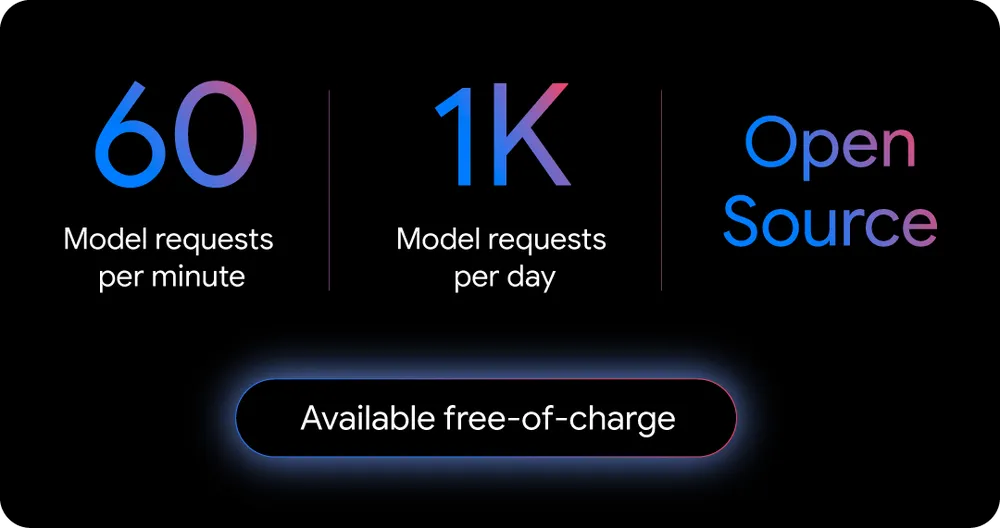
    • Generous Free Tier: Individual developers get an impressive allowance of 1,000 requests per day and 60 requests per minute, all powered by the Gemini 2.5 Pro model with a massive 1 million token context window.
    • Seamless Integration: Gemini CLI integrates directly into your terminal, eliminating the need to switch between different applications. It works on all major platforms: macOS, Windows, and Linux.
    • Code Understanding and Analysis: It can analyze complex codebases, explain legacy code, suggest modernizations, identify security vulnerabilities, and even generate documentation.
    • File and Project Management: Organize your files, restructure projects while maintaining dependencies, and perform bulk file operations using natural language commands.
    • Advanced Integration Capabilities: Gemini CLI has built-in support for the Model Context Protocol (MCP), allowing for extensibility. It also leverages Google Search to provide real-time references and documentation.
    • Multimedia Integration: It works with tools like Imagen and Veo to assist with creative content generation.

    How to Install Gemini CLI

    Getting started with Gemini CLI is incredibly simple. Here’s how you can install it:

    1. Prerequisites: Make sure you have Node.js version 18 or higher installed on your system.
    2. Run the CLI: Open your terminal and execute the following command:
    npx [https://github.com/google-gemini/gemini-cli](https://github.com/google-gemini/gemini-cli)
    

    Alternatively, you can install it globally using npm:

    npm install -g @google/gemini-cli
    
    1. Authentication: You’ll be prompted to sign in with your personal Google account. This will grant you access to the generous free tier.

    That’s it! You’re now ready to start using Gemini CLI.

    Gemini CLI Pricing

    Gemini_CLI

    For individual developers, Gemini CLI is free to use. The free tier, which comes with a Gemini Code Assist license, provides access to Gemini 2.5 Pro and the high usage limits mentioned earlier.

    For professional developers and enterprises that require even more power, there are paid plans available:

    • Gemini Code Assist Standard: This plan is priced at $19 per user per month with an annual commitment or $22.80 per user per month with a monthly commitment.
    • Gemini Code Assist Enterprise: This plan costs $45 per user per month with a yearly commitment or $54 per user per month with a monthly commitment.

    These paid plans offer additional features and higher usage limits, making them suitable for teams and organizations with more demanding needs. You can also use your own paid API key from Google AI Studio or Vertex AI for usage-based billing.

    Conclusion

    Gemini CLI is a game-changer for developers. Its powerful features, seamless integration, and generous free tier make it an attractive alternative to other AI coding assistants. By bringing the power of Gemini directly into the terminal, Google is empowering developers to work more efficiently and creatively.

    Whether you’re a hobbyist, a solo developer, or part of a large enterprise, Gemini CLI has something to offer. So why not give it a try and experience the future of coding today?

  • Beyond the Hype: Practical Applications of Generative AI for Your Business

    Beyond the Hype: Practical Applications of Generative AI for Your Business

    The whispers in the boardroom are turning into a roar. “Generative AI” is on everyone’s lips, often in the same breath as “game-changer” and “the next industrial revolution.” But beyond the sensational headlines and the almost magical capabilities of tools like ChatGPT, a tangible question remains for many business leaders: What can this technology actually do for my business?

    The hype is undeniable. A recent study revealed that for every dollar invested in generative AI, organizations are seeing an average return of $3.70. This isn’t just about futuristic fantasies; it’s about real, measurable impact. Yet, the path from curiosity to implementation can feel shrouded in technical jargon and overwhelming possibilities.

    This article is your guide to navigating that path. We will demystify generative AI, moving beyond the buzz to uncover its practical, real-world applications for your business. We’ll explore how this transformative technology can become your most innovative and efficient employee, revolutionizing everything from your marketing campaigns to your customer service, and even your product development. Forget the hype for a moment; let’s talk about the practical.


    Demystifying Generative AI: Your Business’s New Creative Powerhouse

    At its core, Generative AI is a type of artificial intelligence that can create new and original content. Think of it as an incredibly adept apprentice that has been trained on a vast library of books, articles, images, and code. It learns the patterns, structures, and nuances of this data and then uses that knowledge to generate entirely new outputs.

    But this “apprentice” is far more versatile than a single human. It’s not limited to just writing text. Generative AI can be a graphic designer, a composer, a coder, and a data analyst, all rolled into one. The recent explosion of this technology is fueled by three key factors: the sheer volume of data now available for training, the immense power of modern computing, and significant breakthroughs in the algorithms that underpin it all.


    Streamlining Content Creation: Your AI-Powered Marketing and Creative Team

    For many businesses, the demand for high-quality, engaging content is a relentless treadmill. From blog posts and social media updates to compelling ad copy and eye-catching visuals, the content bottleneck is a real and persistent challenge. This is where generative AI steps in, not as a replacement for human creativity, but as a powerful collaborator.

    AI-Assisted Copywriting and Content Ideation

    Staring at a blank page, waiting for inspiration to strike, is a familiar struggle for any content creator. Generative AI can be the ultimate antidote to writer’s block.

    • Use Cases: Crafting blog post drafts, generating engaging website copy, composing persuasive email newsletters, brainstorming social media captions, and writing detailed product descriptions.
    • Benefits: These tools can generate multiple variations of copy in seconds, helping you A/B test different approaches. They can also assist in optimizing content for search engines (SEO) by suggesting relevant keywords and structures.
    • Tools to Explore:
    • Jasper: A popular AI writing assistant that excels at creating a wide range of marketing copy.
    • Copy.ai: Known for its user-friendly interface and its ability to generate creative and persuasive content.
    • Writesonic: Offers a suite of tools for everything from ad copy to long-form articles.

    Generating Stunning Visuals: Beyond Stock Photography

    In a visually driven world, compelling imagery is non-negotiable. However, the cost and time involved in professional photoshoots or the generic feel of stock photography can be limiting. Generative AI image creation tools offer a revolutionary alternative.

    • Use Cases: Designing unique blog post headers, creating striking social media graphics, developing custom ad creatives, and even generating realistic product mockups.
    • Benefits: This technology empowers businesses to create truly unique and on-brand visuals, reducing reliance on stock images and significantly cutting costs.
    • Tools to Explore:
    • Midjourney: Renowned for its artistic and high-quality image generation.
    • DALL-E 3: Developed by OpenAI, it’s known for its ability to understand and translate complex text prompts into detailed images.
    • Stable Diffusion: An open-source model that offers a high degree of customization and control.

    Video and Audio Creation: The Next Frontier of Accessibility

    Video and audio content are highly effective for engagement, but production can be complex and expensive. Generative AI is rapidly lowering these barriers to entry.

    • Use Cases: Generating scripts and storyboards for short-form videos, creating realistic text-to-speech voiceovers for presentations and tutorials, and composing unique, royalty-free background music.
    • Benefits: These tools make video and audio production more accessible and affordable for businesses of all sizes, enabling them to compete in a multimedia landscape.
    • Tools to Explore:
    • Synthesia: Creates professional-looking videos with AI-powered avatars.
    • Murf.ai: Offers a wide range of realistic AI voices for voiceovers.
    • Soundraw: Allows you to generate unique, AI-composed music tailored to your needs.

    Unlocking Insights: Generative AI for Data Analysis and Business Intelligence

    Businesses today are drowning in data. The challenge lies not in collecting it, but in extracting meaningful insights that can drive strategic decisions. Generative AI is emerging as a powerful tool for making data more accessible and actionable.

    Simplifying Complex Data

    Not everyone in your organization is a data scientist. Generative AI can act as a translator, converting complex datasets into easily understandable narratives.

    • Use Cases: Generating natural language summaries of dense reports, creating automated business intelligence dashboards, and even generating the code to create specific data visualizations.
    • Benefits: This makes crucial data insights accessible to non-technical stakeholders, fostering a more data-informed culture and accelerating decision-making.
    • Tools to Explore:
    • Tableau’s AI capabilities: Integrates AI to help users explore and understand their data more intuitively.
    • Microsoft Power BI’s AI features: Offers AI-driven insights and visualizations within its popular business analytics platform.
    • Polymer: An AI-powered tool that automatically generates insights and visualizations from your data.

    Predictive Analytics and Forecasting

    Looking ahead is crucial for any business. Generative AI can analyze historical data to identify patterns and make surprisingly accurate predictions about the future.

    • Use Cases: Forecasting market trends, predicting future sales volumes, and optimizing inventory management to prevent stockouts or overstocking.
    • Benefits: This predictive power allows for more proactive and strategic decision-making, giving businesses a significant competitive edge. Many modern business intelligence platforms are beginning to integrate these generative capabilities.

    Revolutionizing Customer Service: AI-Powered Support and Hyper-Personalization

    Customer expectations have evolved. Today’s consumers demand 24/7, personalized, and efficient support. Generative AI is at the forefront of meeting these demands.

    Intelligent Chatbots and Virtual Assistants

    The chatbots of yesterday, with their rigid, scripted responses, are being replaced by a new generation of intelligent, conversational AI.

    • Use Cases: Answering a wide range of frequently asked questions with nuanced understanding, resolving common customer issues without human intervention, intelligently routing complex queries to the appropriate human agent, and even qualifying leads on your website.
    • Benefits: These advanced chatbots lead to improved customer satisfaction through instant responses, significantly reduced support costs, and the ability to offer round-the-clock assistance.
    • Tools to Explore:
    • Intercom: A customer communications platform with powerful AI-driven chatbot features.
    • Zendesk AI: Integrates generative AI to enhance its suite of customer service tools.
    • Drift: Focuses on conversational marketing and sales, using AI to engage and qualify website visitors.

    Personalizing the Customer Journey at Scale

    True personalization goes beyond using a customer’s first name in an email. Generative AI can analyze customer data to create genuinely tailored experiences.

    • Use Cases: Crafting personalized email responses that address specific customer inquiries, providing highly relevant product recommendations based on Browse history and past purchases, and developing targeted marketing messages that resonate on an individual level.
    • Benefits: This level of personalization fosters deeper customer engagement, builds brand loyalty, and ultimately drives higher conversion rates.

    Innovative and Niche Applications: Thinking Beyond the Obvious

    The applications of generative AI extend far beyond the traditional business functions. Forward-thinking companies are finding innovative ways to leverage this technology.

    Software Development and Code Generation

    For businesses with a software development component, generative AI is becoming an indispensable co-pilot for developers.

    • Use Cases: Generating boilerplate code snippets to speed up development, assisting with debugging by identifying and suggesting fixes for errors, and even writing technical documentation.
    • Tools to Explore:
    • GitHub Copilot: An AI pair programmer that integrates directly into your code editor.
    • Amazon CodeWhisperer: A machine learning-powered service that helps improve developer productivity.

    Product Design and Prototyping

    The creative process of product design can be accelerated and enhanced with generative AI.

    • Use Cases: Brainstorming and generating a multitude of design ideas based on initial concepts, creating interactive prototypes from simple sketches, and rapidly iterating on product designs based on feedback.
    • Tools to Explore:
    • Uizard: An AI-powered tool that can turn hand-drawn sketches into digital designs and prototypes.
    • Figma’s AI features: The popular design platform is increasingly integrating AI to streamline the design workflow.

    Specialized Industries: Legal, Finance, and Healthcare

    Generative AI is also making inroads into highly specialized fields. In the legal sector, it’s being used to summarize lengthy legal documents and assist in legal research. In finance, it’s helping to generate financial reports, analyze market data, and even detect fraudulent activities. The healthcare industry is exploring its use for tasks like summarizing patient notes and accelerating drug discovery research.


    A Practical Guide to Implementing Generative AI in Your Business

    The prospect of integrating a new technology can be daunting. Here’s a simple framework to get you started:

    1. Start Small and Specific: Don’t try to overhaul your entire business at once. Identify a specific, high-impact problem that generative AI could solve. This could be streamlining your social media content creation or improving the response time of your customer service.

    2. Choose the Right Tools: The market for AI tools is expanding rapidly. Consider factors like ease of use, integration with your existing systems, and, of course, cost. Many tools offer free trials, allowing you to experiment before committing.

    3. Involve and Train Your Team: Generative AI is a tool to augment, not replace, your employees. Provide training and encourage your team to experiment with these new tools. Foster a culture of learning and adaptation.

    4. Embrace Ethical Considerations and Data Privacy: This is paramount. Be mindful of the data you’re using to train or prompt AI models. Ensure you have robust data security measures in place and be aware of the potential for AI to perpetuate existing biases. Responsible AI use is not just good practice; it’s essential for building trust with your customers and stakeholders.

    5. Measure Your Success: Define what success looks like. Set clear key performance indicators (KPIs) to track the impact of your generative AI initiatives. This could be metrics like increased website traffic from AI-generated content, higher customer satisfaction scores, or reduced content production costs.


    The Future is a Collaboration Between Human and Machine

    Generative AI is not a fleeting trend; it is a fundamental technological shift that will reshape the business landscape. The businesses that will thrive in this new era are not those that see AI as a threat, but those that embrace it as a powerful collaborator.

    The true potential of generative AI is unlocked when it’s used to enhance human creativity, automate tedious tasks, and provide insights that were previously inaccessible. It’s about freeing up your team to focus on what they do best: strategic thinking, building relationships, and driving innovation.

    The journey into the world of generative AI is an exciting one. The practical applications are here, they are accessible, and they are delivering real results. The question is no longer if you should adopt this technology, but how and where you will begin.